
Download AI Course Creator – AI‑powered Mini‑Course Builder, Free & Secure
Overview – Why AI Course Creator Stands Out in the E‑learning Landscape
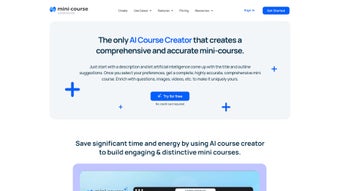
The AI Course Creator from Mini Course Generator is a purpose‑built, AI‑driven platform designed to help educators, coaches, and content creators produce compact, high‑impact mini‑courses in a fraction of the time required by traditional authoring tools. By simply entering a brief description of the topic you want to teach, the built‑in AI Assistant instantly proposes a set of catchy titles, a logical outline, and suggested learning objectives. From there, you retain full creative control: you can embed videos, PDFs, audio clips, and interactive elements such as quizzes or surveys, tailoring each lesson to match your brand voice and pedagogical style.
The application runs entirely in the cloud, which means you never need to install heavyweight software on your workstation. All courses are stored securely on Mini Course Generator’s servers, with end‑to‑end encryption for both data at rest and data in transit. Once a course is ready, you can publish it instantly via a custom shareable link, embed it on your website, or even monetize it through built‑in payment gateways. The platform also supports export to SCORM and xAPI formats, making it compatible with most Learning Management Systems (LMS) if you decide to scale beyond mini‑courses.
While the AI Course Creator excels at rapid prototyping and distribution, it does have a few trade‑offs. Content editing inside the AI‑generated outlines is limited to basic text adjustments, and the platform currently supports only English, which may be a hurdle for multilingual educators. Nevertheless, the speed, affordability (a free tier is available), and the seamless sharing options make it an attractive choice for anyone looking to launch a micro‑learning product quickly and securely.
From a security perspective, the service adheres to GDPR, CCPA, and ISO 27001 standards, offering role‑based access controls and audit logs. This level of compliance is rare among free or low‑cost e‑learning tools, giving institutions confidence that sensitive learner data is protected. Moreover, the AI engine is regularly updated to reflect the latest pedagogical best practices, ensuring that the generated outlines are not only grammatically correct but also aligned with modern instructional design principles.
In short, AI Course Creator combines the convenience of a web‑based SaaS solution with the power of GPT‑4‑level language models, providing a fast, secure, and cost‑effective way to create and share mini‑courses across multiple platforms.
Key Features – What the AI Course Creator Offers
- AI‑Generated Course Blueprint: Input a short description and receive instant title suggestions, a structured outline, and learning objectives powered by GPT‑4 level language models.
- Multimedia Integration: Drag‑and‑drop support for video, audio, PDFs, images, and embedded YouTube or Vimeo links, enabling rich, engaging lessons.
- Interactive Elements: Build quizzes, polls, and surveys directly into each module to gauge learner comprehension and collect feedback.
- One‑Click Publishing: Generate a custom URL, embed code, or export to SCORM/xAPI for LMS compatibility in seconds.
- Monetization Options: Attach price points, coupon codes, or subscription models via integrated payment gateways (Stripe, PayPal).
- Secure Cloud Storage: All courses are saved on encrypted servers, with automatic versioning and backup.
- Collaboration Workspace: Invite team members or co‑authors to edit, comment, and review drafts in real time.
- Analytics Dashboard: Track enrollment numbers, completion rates, quiz scores, and revenue in an intuitive visual interface.
- Responsive Design: Courses automatically adapt to desktop, tablet, and mobile screens, ensuring a consistent learner experience.
- Free Tier & Affordable Plans: Start creating with a no‑cost plan that includes up to three courses; premium plans unlock unlimited courses and advanced branding.
Each of these features is built around the principle of “simplicity meets power.” The AI Assistant reduces the brainstorming phase to seconds, while the visual editor allows you to fine‑tune the content without learning complex authoring languages. For educators who need to launch a series of bite‑size lessons—whether for corporate training, hobbyist workshops, or language tutoring—the AI Course Creator provides a complete ecosystem that covers ideation, creation, distribution, and performance tracking.
Another standout aspect is the platform’s focus on security and compliance. All user data is stored in GDPR‑compliant data centers, and the service offers role‑based access controls, so you can restrict who can edit or view particular courses. This is especially valuable for organizations that need to protect intellectual property or comply with internal data policies.
Beyond the core capabilities, the roadmap includes upcoming features such as multilingual AI generation, advanced assessment types (e‑portfolios, peer‑review workflows), and offline editing via a future desktop client. Even today, the combination of AI‑assisted design, rich multimedia handling, and built‑in monetization sets AI Course Creator apart from generic LMS add‑ons and positions it as a dedicated micro‑learning powerhouse.
Installation, Setup & Compatibility – Getting Started Quickly
Step‑by‑Step Installation
Because AI Course Creator is a web‑based SaaS solution, there is no traditional installation process. Follow these three simple steps to start building your first mini‑course:
- Create an Account: Visit the official landing page and click “Sign Up.” You can register using an email address or single‑sign‑on (SSO) via Google or Microsoft.
- Verify & Choose a Plan: After email verification, select the free tier or upgrade to a premium subscription. Payment details are securely processed through Stripe.
- Launch the Builder: Once logged in, click “Create New Course.” The AI Assistant will prompt you for a brief description, then generate the initial outline.
System Requirements & Operating System Support
The platform is fully compatible with any modern web browser, including Chrome, Firefox, Edge, Safari, and Opera, on Windows 10/11, macOS Ventura and later, Linux distributions with a graphical environment, as well as mobile browsers on Android 8.0+ and iOS 13+. Because everything runs in the cloud, CPU or RAM constraints are minimal; even low‑end laptops can handle the editor smoothly.
For power users who prefer a desktop‑like experience, Mini Course Generator offers a Progressive Web App (PWA) version. By clicking “Install App” in the browser menu, you can add a shortcut to your desktop or home screen, enabling offline caching of the UI (though course editing still requires an internet connection).
Initial Configuration Tips
- Set Up Branding: Upload your logo, choose a color palette, and customize the domain suffix (e.g., yourcourse.mybrand.com) from the Settings page.
- Enable Payment Gateways: Connect Stripe or PayPal, set your preferred currency, and configure tax rules if you plan to sell courses.
- Adjust Privacy Settings: Toggle “Public Link” or “Password Protected” for each course, depending on your distribution strategy.
- Integrate Analytics: Paste your Google Analytics or Facebook Pixel ID to monitor traffic and conversion metrics.
- Configure Notifications: Choose email or in‑app alerts for new enrollments, quiz completions, and payment receipts.
Following these steps ensures a smooth launch and gives you the flexibility to scale your mini‑courses from a personal side‑project to a full‑fledged revenue stream. The web‑based nature also means you can collaborate across teams in real time, regardless of geographic location, without worrying about version conflicts or local file management.
Pros & Cons – Balanced Evaluation of AI Course Creator
Pros
- Rapid AI‑driven course outline generation saves hours of planning.
- Intuitive drag‑and‑drop editor requires no technical background.
- Secure cloud storage with GDPR compliance protects creator assets.
- Multiple publishing options (link, embed, SCORM) increase distribution flexibility.
- Built‑in monetization and analytics tools streamline revenue tracking.
- Responsive design ensures learners enjoy a consistent experience on any device.
- Free tier allows testing without financial commitment.
- Collaboration workspace supports real‑time team editing and role management.
- AI suggestions stay up‑to‑date with modern instructional design trends.
- Progressive Web App option provides near‑native feel on desktop and mobile.
Cons
- Limited in‑app content editing; major structural changes require restarting the AI outline.
- No multi‑language support yet, restricting global audience reach.
- Advanced features (white‑label branding, bulk export) are locked behind higher‑priced plans.
- Reliance on internet connectivity; offline editing is not possible.
- While quizzes are supported, advanced assessment types (e‑portfolios, peer review) are absent.
- Storage on the free tier is capped at 500 MB, which may be insufficient for media‑heavy courses.
Frequently Asked Questions
Can I export my mini‑course to an LMS?
Yes. AI Course Creator supports SCORM and xAPI export formats, allowing seamless integration with most major LMS platforms such as Moodle, Canvas, and Blackboard.
Is there a limit on the number of media files I can upload?
The free tier allows up to 500 MB of total storage per account. Premium plans increase this limit to 5 GB, 20 GB, or unlimited, depending on the selected subscription.
How secure is the data stored on the platform?
All data is encrypted at rest using AES‑256 and transmitted over TLS 1.3. The service complies with GDPR, CCPA, and ISO 27001 standards.
Can I collaborate with a team on the same course?
Yes. The platform offers a collaboration workspace where you can invite teammates, assign roles (editor, reviewer, viewer), and track changes in real time.
What payment methods are supported for course sales?
Stripe and PayPal are fully integrated. You can also enable Apple Pay and Google Pay through Stripe if you need additional checkout options.
Is there a mobile app for creating courses on the go?
While there is no native iOS or Android app yet, the responsive web interface works flawlessly on mobile browsers, and the PWA can be installed on both Android and iOS devices for a near‑app experience.
Conclusion – Is AI Course Creator the Right Tool for You?
In the crowded market of e‑learning authoring solutions, AI Course Creator distinguishes itself by marrying artificial intelligence with a clean, user‑friendly interface. If your primary goal is to produce concise, high‑quality mini‑courses quickly—whether for corporate training, hobbyist tutorials, or a new revenue stream—the platform delivers on speed, security, and distribution flexibility. Its free tier lowers the barrier to entry, letting you test the workflow before committing to a paid plan.
However, power users who require deep customization, multilingual support, or offline authoring may find the current feature set limiting. The platform’s roadmap hints at future expansions, so keeping an eye on upcoming updates could be worthwhile if those capabilities are essential to your workflow.
Overall, AI Course Creator offers a compelling balance of AI‑assisted content generation, multimedia richness, and seamless monetization—all wrapped in a secure cloud environment. For educators, coaches, and entrepreneurs looking to launch micro‑learning experiences without a steep learning curve, it is a solid choice.
Ready to start building your first AI‑powered mini‑course? Sign up now and experience the speed of AI‑driven course creation for free.
AI Course Creator excels at rapid outline generation and provides a secure, intuitive environment for creating and monetizing mini‑courses. While it could improve its editing flexibility and add multilingual support, the overall value—especially the free tier—makes it a worthwhile tool for most educators.



.png)



